


Scene description: Due to the same candidate applying for multiple positions and one of the resumes being in the process, the resumes in the pending processing stage are locked and cannot be operated.
Function Introduction: Apply for unlocking online;
What is unlocking: Placing the resumes in the process into the talent pool will automatically unlock the locked resumes.
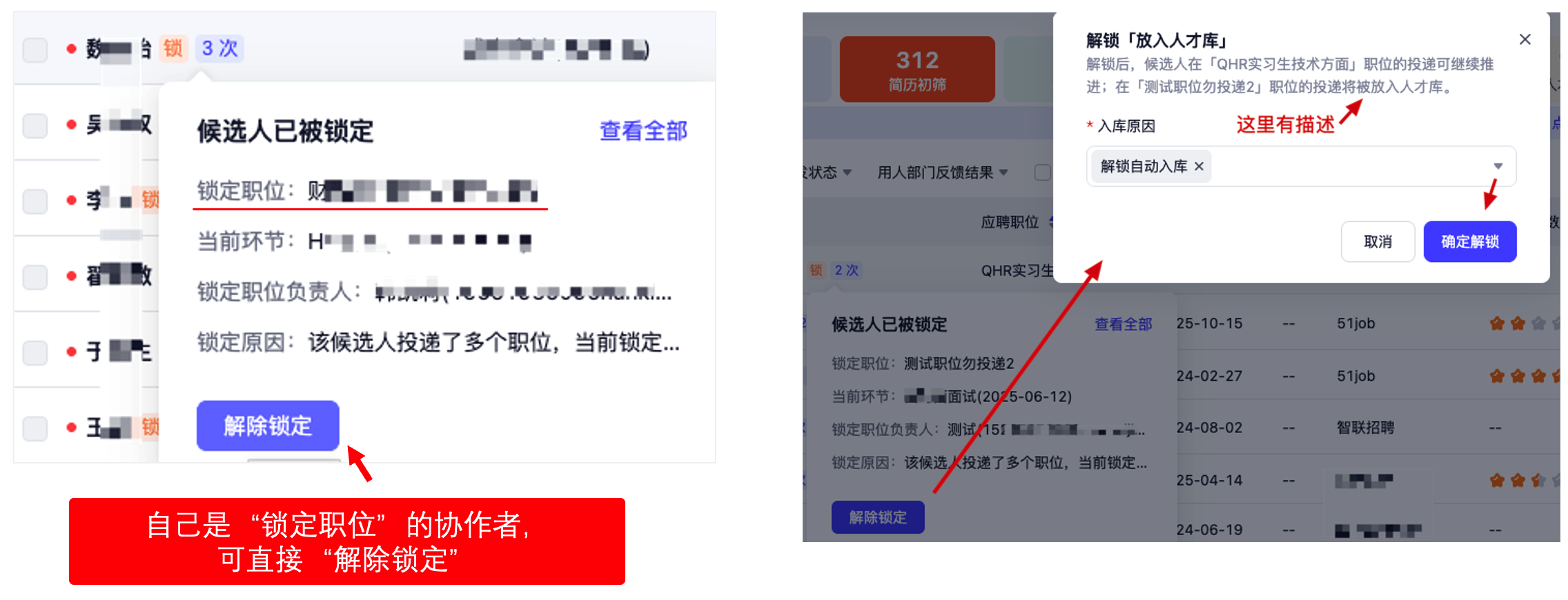
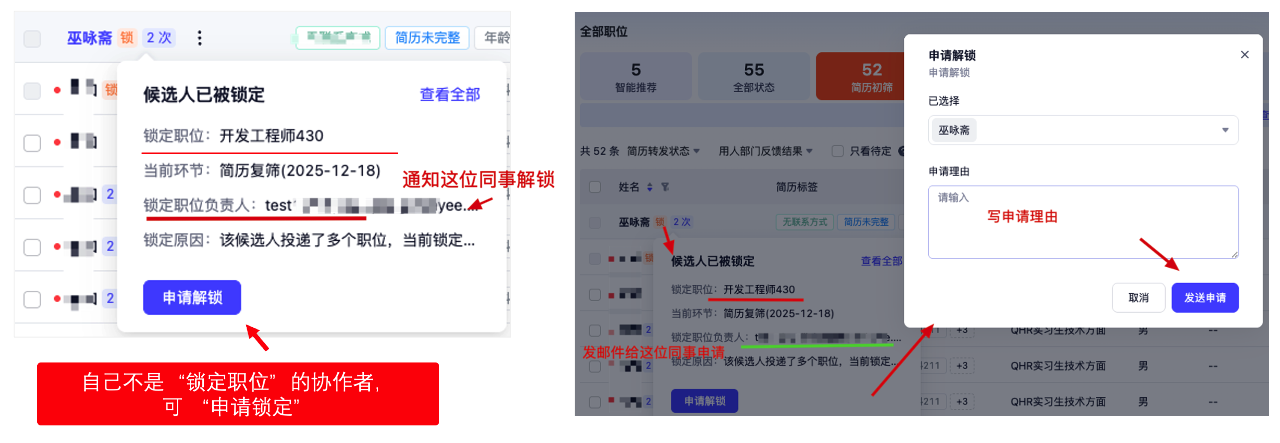
Operation method: Hover the mouse over the "Lock" icon, and a floating window will appear. Click "Unlock" or "Apply for Unlock" to proceed.
Difference
Unlocking: It means that you have the operation permission for the position in the process. You can directly put the resume in the process into the talent pool, and the current locked resume can be resolved.
Application for unlocking: The position corresponding to the resume in the process is not under your responsibility. You need to send a notification to the colleague corresponding to the resume in the process to ask if her resume is still needed. If it is no longer needed, ask her to put the resume in the process into the talent pool to unlock the currently locked resume.
Summary: The position in the process is one's own responsibility and can be unlocked directly by oneself. If it is not one's own responsibility, one needs to find a responsible colleague to unlock it.
After sending the application, the person in charge of the position corresponding to the position in the process will receive a notification. If the operation is unlocked, the applicant will receive a feedback notification indicating that the unlocking is successful.
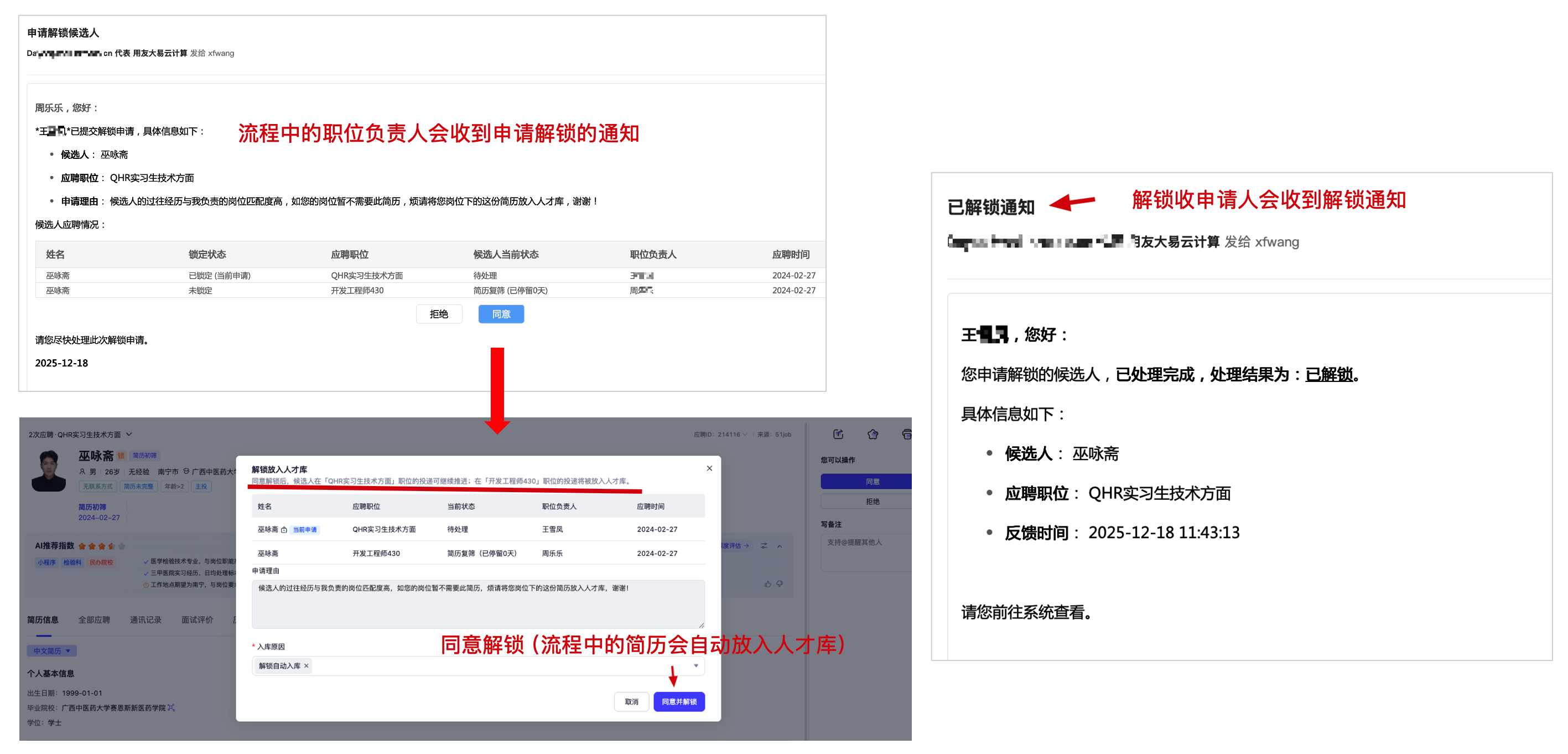
Which notification methods are supported: email, DingTalk, Enterprise wechat, Lark, and wechat