


All doc

User Manual
Version update record
Version update record

Common Questions and Function Introduction
Common Questions and Function Introduction
System login
Home Page
Personal Center
Plugins are related to channels
Plugins are related to channels
Position-related
"Candidate related
Data import
Data export

Batch export resumes/application forms
Batch export resumes/application forms
How to download the original resume
How to download the original resume

Export other information related to the resume
Export other information related to the resume
Export the attachments in your resume
Export the attachments in your resume
Resume locked/unlocked
Resume locked/unlocked
The resume can't be found.
The resume can't be found.
Introduction to the application for unlocking function
Introduction to the application for unlocking function
"Modify relevant
Resume screening
Notice relevant
Related to interviews
Related to interviews
Related to the interviewer
Related to the interviewer
"offer related
Recommendation/job-related change
Recommendation/job-related change
Related to resume tags
Related to resume tags
Related to the talent pool
Related to the talent pool
Custom configuration
Report Center
Others
Open class
Best Practice
New Feature Recommendation
New Feature Recommendation
"Operation gameplay"
Report White Paper
Popular activities

How to download the original resume
How to download the original resume


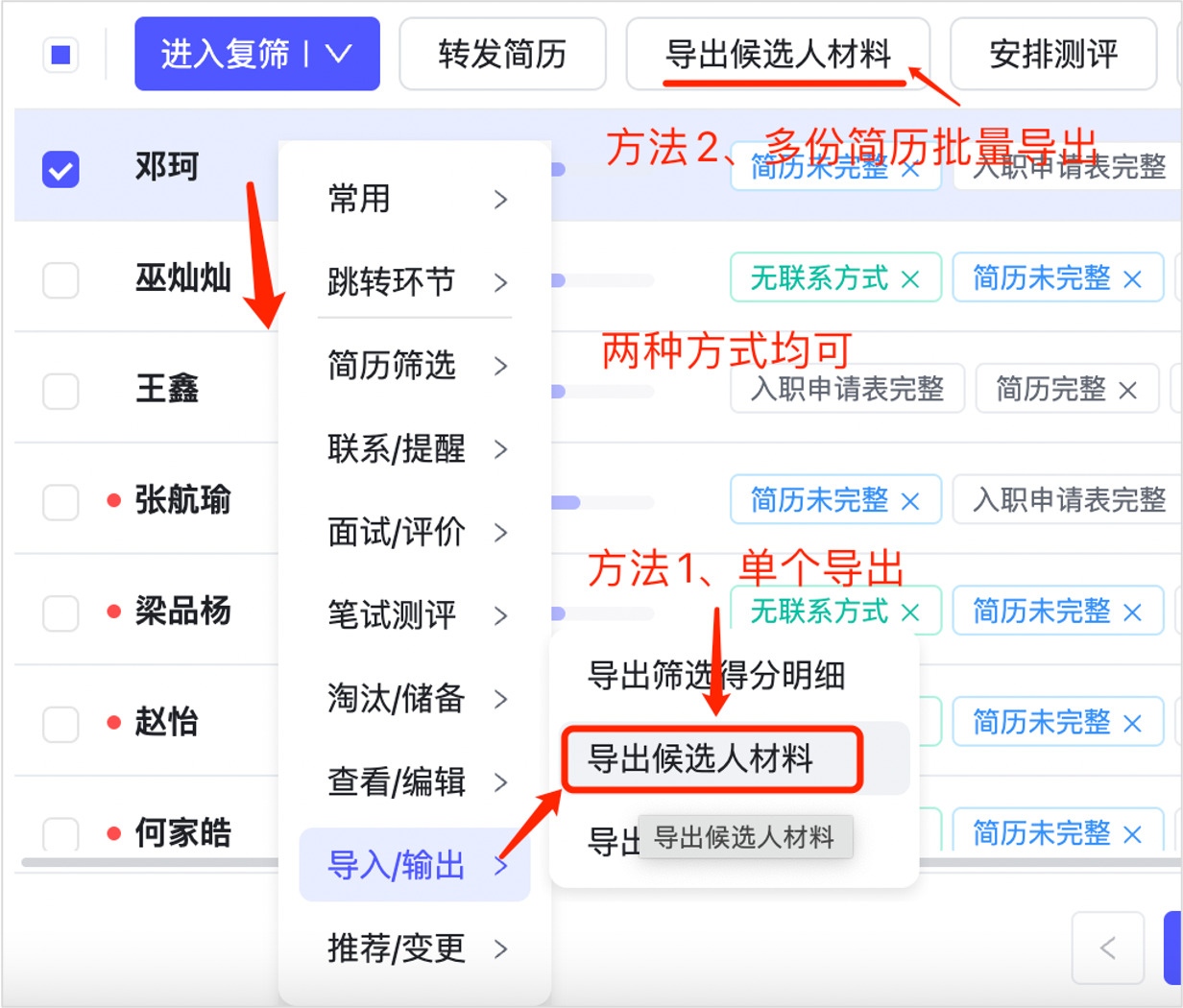
Function Name: Export candidate materials
The operation mode is as follows:
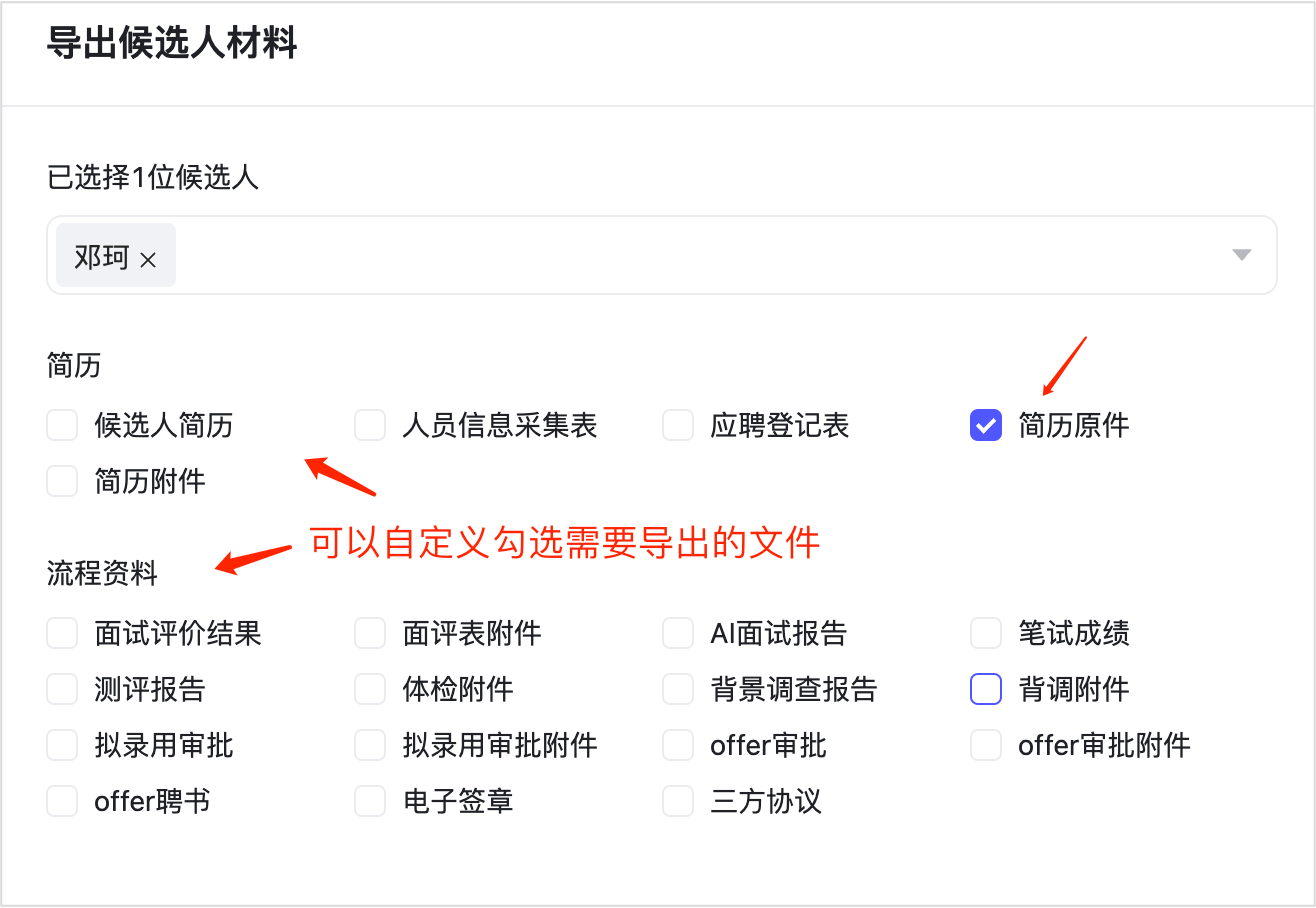
Additional note:
If the button of "Export candidate materials" is not displayed in the batch operation, click "Set common operations" to check the button of "Export candidate materials" and drag to adjust the display sequence. Refer to the introduction of "Customized batch operation button display sequence" in the configuration page;
Evaluate this document
Helpful
No help