


All doc

User Manual

Introduction to the navigation bar and shortcut menu
Introduction to the navigation bar and shortcut menu
Home Page Workbench Introduction
Home Page Workbench Introduction
Position management

Channel Pass Plugin
Candidate management
Talent pool & Online talent pool
Talent pool & Online talent pool
Report Management
System Management
Introduction to the Internal Referral Code Campaign
Introduction to the Internal Referral Code Campaign
Intelligent recommendation
Intelligent recommendation
Conversational interactive preview version
Conversational interactive preview version
Version update record
Version update record
Common Questions and Function Introduction
Common Questions and Function Introduction
Open class
Best Practice
New Feature Recommendation
New Feature Recommendation
"Operation gameplay"
Report White Paper
Popular activities

Recruitment process


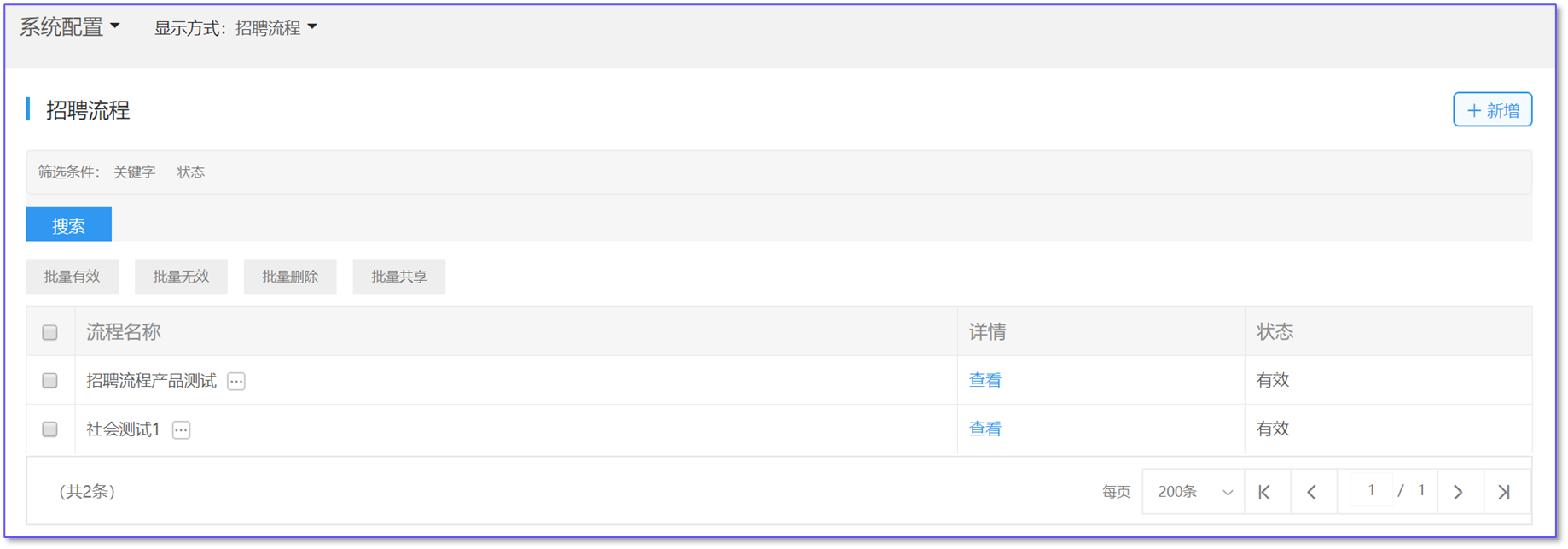
The recruitment process is the recruitment process bound to predefined positions.
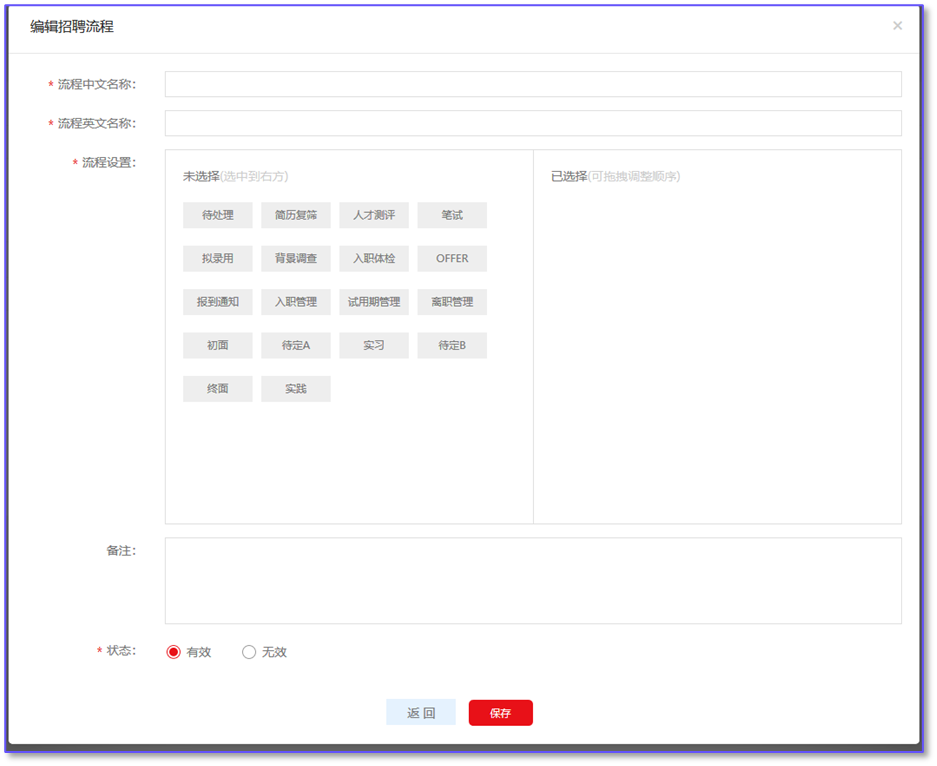
Add recruitment process: The user clicks "Add" and a new page pops up. The process node can be clicked or dragged to the right side for selection. The selected process node can be dragged to adjust the order.
Modify/Delete/invalid/valid/view: The user can perform corresponding operations on the defined process, but only the process in the valid state can be tied to the job.
Evaluate this document
Helpful
No help