用户社区
All doc
User Manual
Version update record
Common Questions and Function Introduction
System login
Home Page
Personal Center
Plugins are related to channels
Position-related
"Candidate related
Data import
Data export
Resume locked/unlocked
The resume can't be found.
"Modify relevant
Resume screening
Notice relevant
Related to interviews
Evaluation and prompt processing
Introduction to Common Functions
The difference between notifying the interviewer and rescheduling the interview
Reschedule the interview and revise the interviewer's introduction
How to reschedule an interview
How to change an interviewer
How can I check if the notification has been sent successfully
How can I check if an interview notice has been sent to the interviewer
Does the resume being circulated before evaluation affect the writing of the evaluation
Interview sign-in
Reissue the interview notice
Supplementary interview evaluation
The email address is incorrect and a new notification needs to be sent
Temporarily add or adjust interviewers
Copy the interview evaluation
Extract the interview evaluation link
Text message reminders to candidates before the interview
Automatically remind the interviewer before the interview
Cancel the urging for individual interview evaluations
The interviewer signs by hand
Handwritten signature of the candidate
Automatically feedback the interview situation
Interview conflict
A combination of on-site interviews and video interviews will be arranged
Related to the interviewer
"offer related
Recommendation/job-related change
Related to resume tags
Related to the talent pool
Custom configuration
Report Center
Others
Open class
Best Practice
New Feature Recommendation
"Operation gameplay"
Report White Paper
Popular activities
Interview sign-in

Best practice: The interviewer can receive an immediate reminder of the interview after the candidate scans the code to sign in

Scenario Description: On the day of the interview, candidates can sign in for the interview by scanning the QR code after arriving

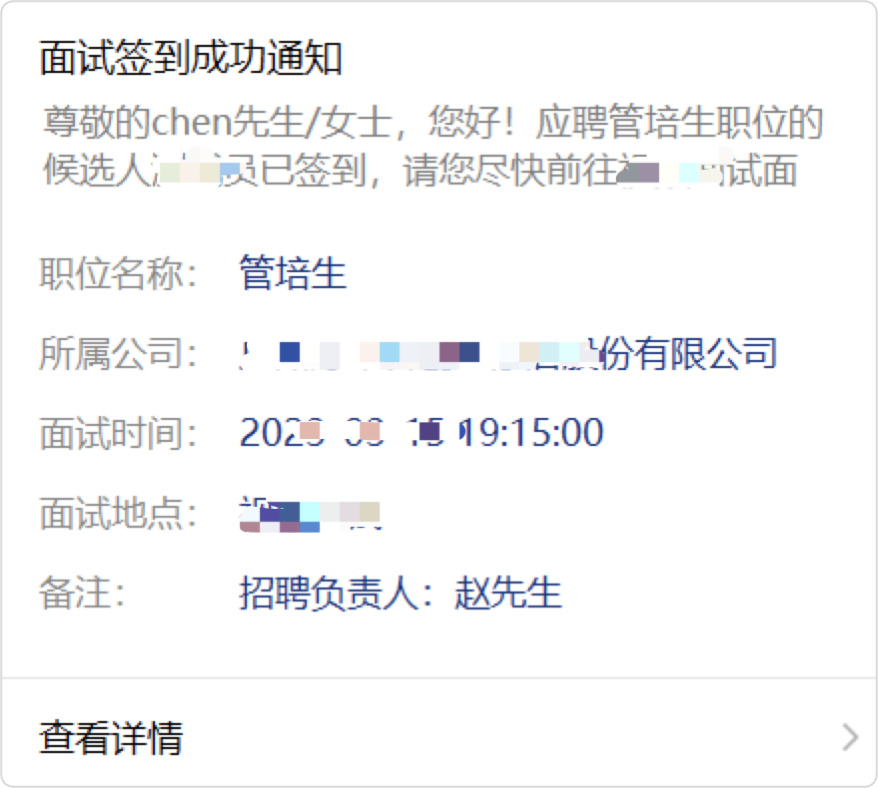
Sign in effect: The interviewer will immediately receive an email/wechat message notification, the notification content contains the candidate's resume information, easy to quickly view the resume, fill in the evaluation, etc

Q: Who can I remind to sign in for an interview?

A: At present, the objects that support reminding are: interviewers, operators, recruitment leaders, interview receptionists

Q: Why do I need to sign in for an interview?

  • Enhance brand image

  • Remind the interviewer that the candidate has arrived

  • The sign-in notification allows interviewers to quickly review a candidate's resume without having to rummage through previous interview notification emails

Q: How to get the QR code?

https://www.hotjob.cn/wt/ here to replace the login name/mobweb/createQRCode for the enterprise

or

https://sc.hotjob.cn/wt/ replace this with the enterprise login name /mobweb/createQRCode

[Due to the difference in the location of the server, whether to use www or sc in front of hotjob depends on whether the enterprise uses www or sc in the background address of Dayi login]

Q: Can I sign in for an interview without using the micro recruitment function?

A: You can use the interview sign-in function, but the interviewer can receive email reminder, not wechat message reminder

Q: Can anyone scan the code to sign in?

A: Interview sign-in is only available to candidates who have scheduled an interview through the system and the interview time is the same day


Candidates scan the code and enter their email or mobile phone number to verify whether they are candidates to be met on the same day
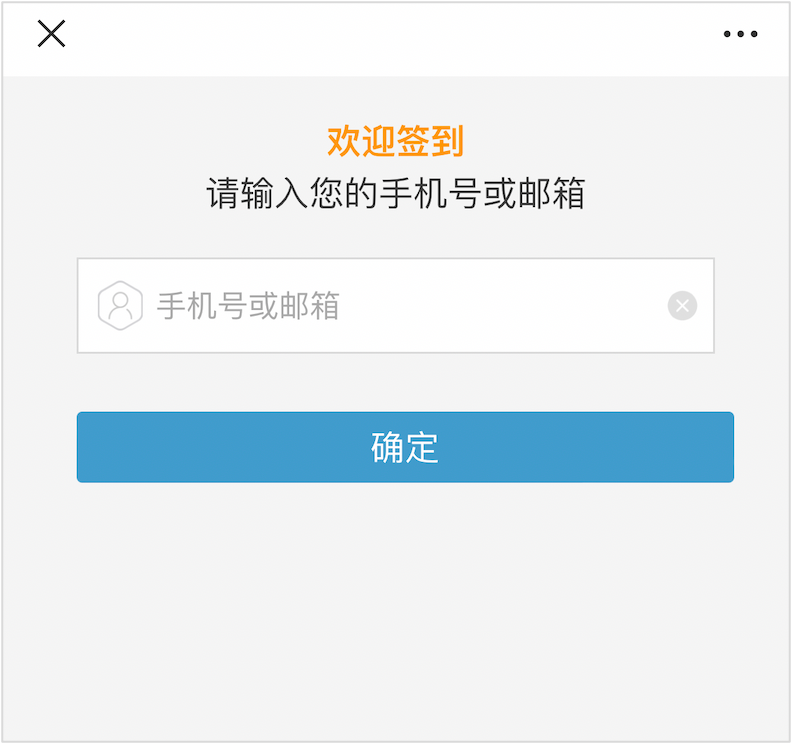
After successfully signing in for the interview, the interviewer will immediately receive an email/wechat message reminder to support the review of resume details and fill in the interview evaluation