


All doc

User Manual
Version update record
Version update record

Common Questions and Function Introduction
Common Questions and Function Introduction
System login
Home Page
Personal Center
Plugins are related to channels
Plugins are related to channels
Position-related
How to obtain an external job ID
How to obtain an external job ID

How to post a position
How to post a position
How to refresh a position
How to refresh a position
How to upload positions in batches
How to upload positions in batches
Position ranking logic
Position ranking logic
After a position is closed, can resumes under the position still be processed
After a position is closed, can resumes under the position still be processed
Why aren't the positions being posted displayed on the official website
Why aren't the positions being posted displayed on the official website
How to determine if a position has been successfully posted
How to determine if a position has been successfully posted
The resume receiving email address cannot be added
The resume receiving email address cannot be added
When adding a new position, a duplicate prompt appears
When adding a new position, a duplicate prompt appears
The job status does not meet the release conditions
The job status does not meet the release conditions
The difference between "suspended position" and "closed position"
The difference between "suspended position" and "closed position"
The differences among various release buttons
The differences among various release buttons
If you want to change the name or location after the job is posted
If you want to change the name or location after the job is posted
How can I repost an online position after it has been taken offline
How can I repost an online position after it has been taken offline
Common reasons for failed channel release
Common reasons for failed channel release
How to view the channel release results
How to view the channel release results
The release logo indicates that it is under review
The release logo indicates that it is under review
How can I add headhunters or internal referrals for positions that have already been posted
How can I add headhunters or internal referrals for positions that have already been posted
How to generate a job QR code
How to generate a job QR code
How to batch screen positions
How to batch screen positions
The channels for job changes that have been posted
The channels for job changes that have been posted
Batch increase the types of recruitment
Batch increase the types of recruitment
Batch cancellation of recruitment types
Batch cancellation of recruitment types
Batch adjust the recruitment manager and job collaborators
Batch adjust the recruitment manager and job collaborators
I couldn't find the position and couldn't process the resume under it either
I couldn't find the position and couldn't process the resume under it either
The job information Settings can only be edited by the job supervisor
The job information Settings can only be edited by the job supervisor
Manually pin the position to the top in the background
Manually pin the position to the top in the background
No operation permission
No operation permission
"Candidate related
Related to the talent pool
Related to the talent pool
Custom configuration
Report Center
Others
Open class
Best Practice
New Feature Recommendation
New Feature Recommendation
"Operation gameplay"
Report White Paper
Popular activities

How to obtain an external job ID


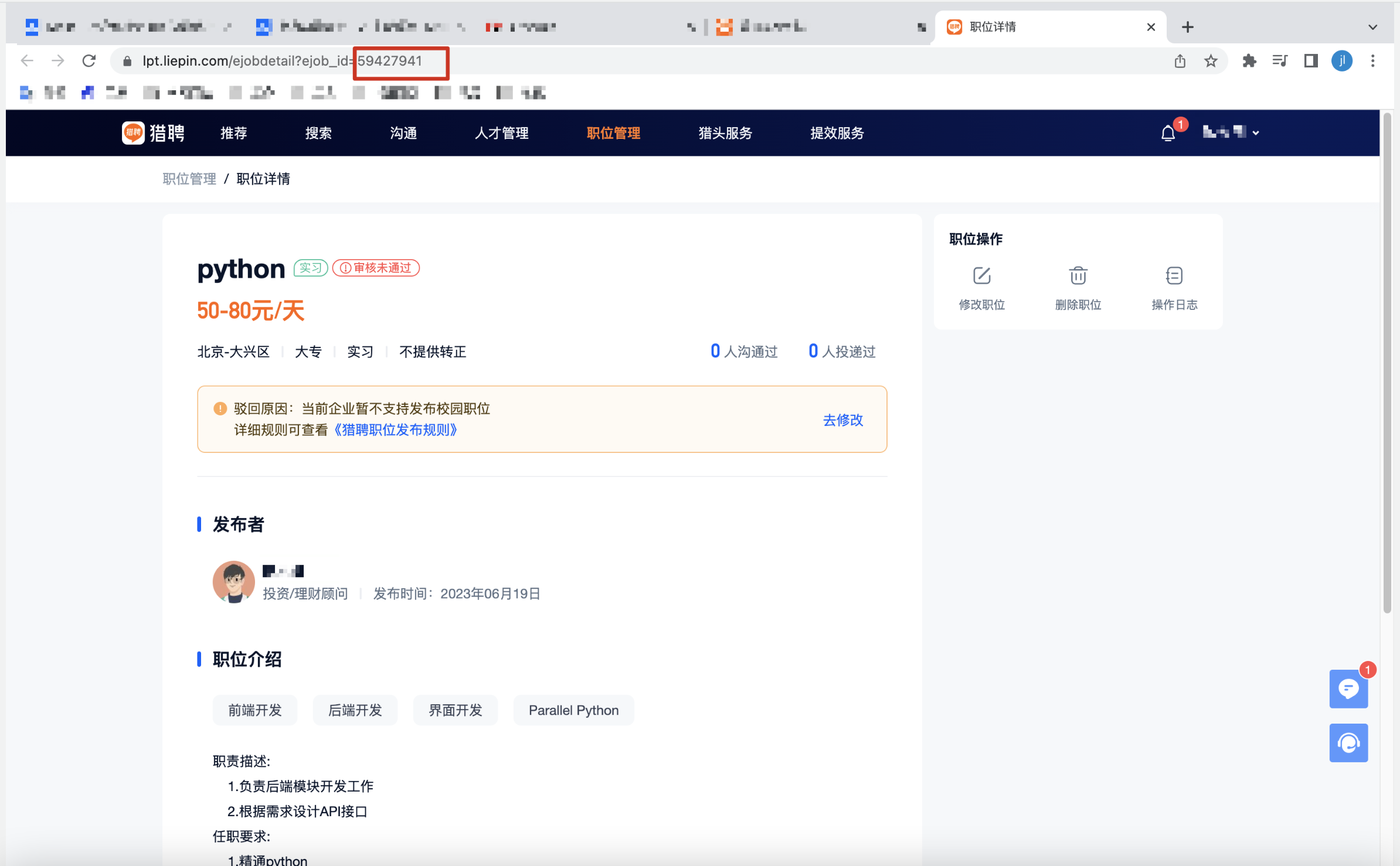
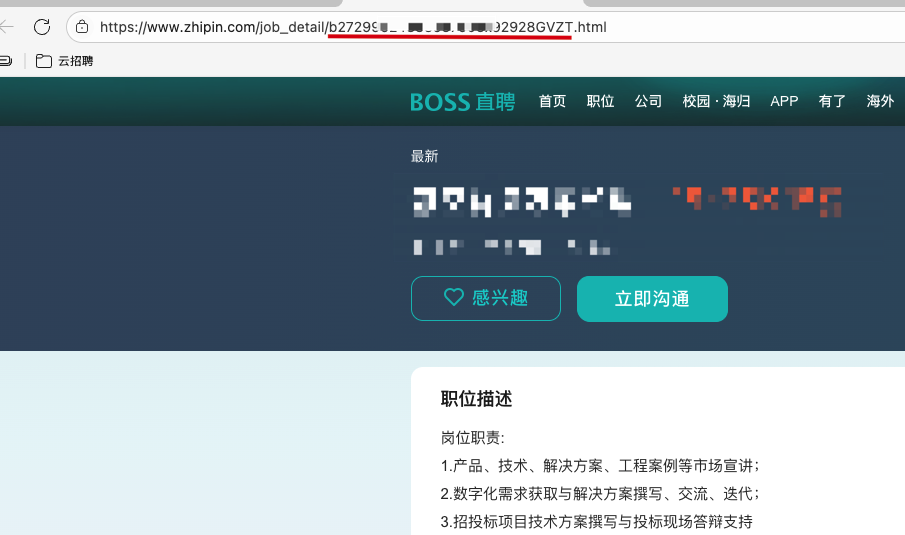
First, jump to the external network through the plug-in, or directly log in to the external network, find the corresponding job details, copy the job ID
Take hunting employment as an example:
The following is BOSS Zhipin. The same applies to others
2. Special circumstances: Some channel positions, modifying positions, and refreshing position ids are different, and multiple ids need to be maintained
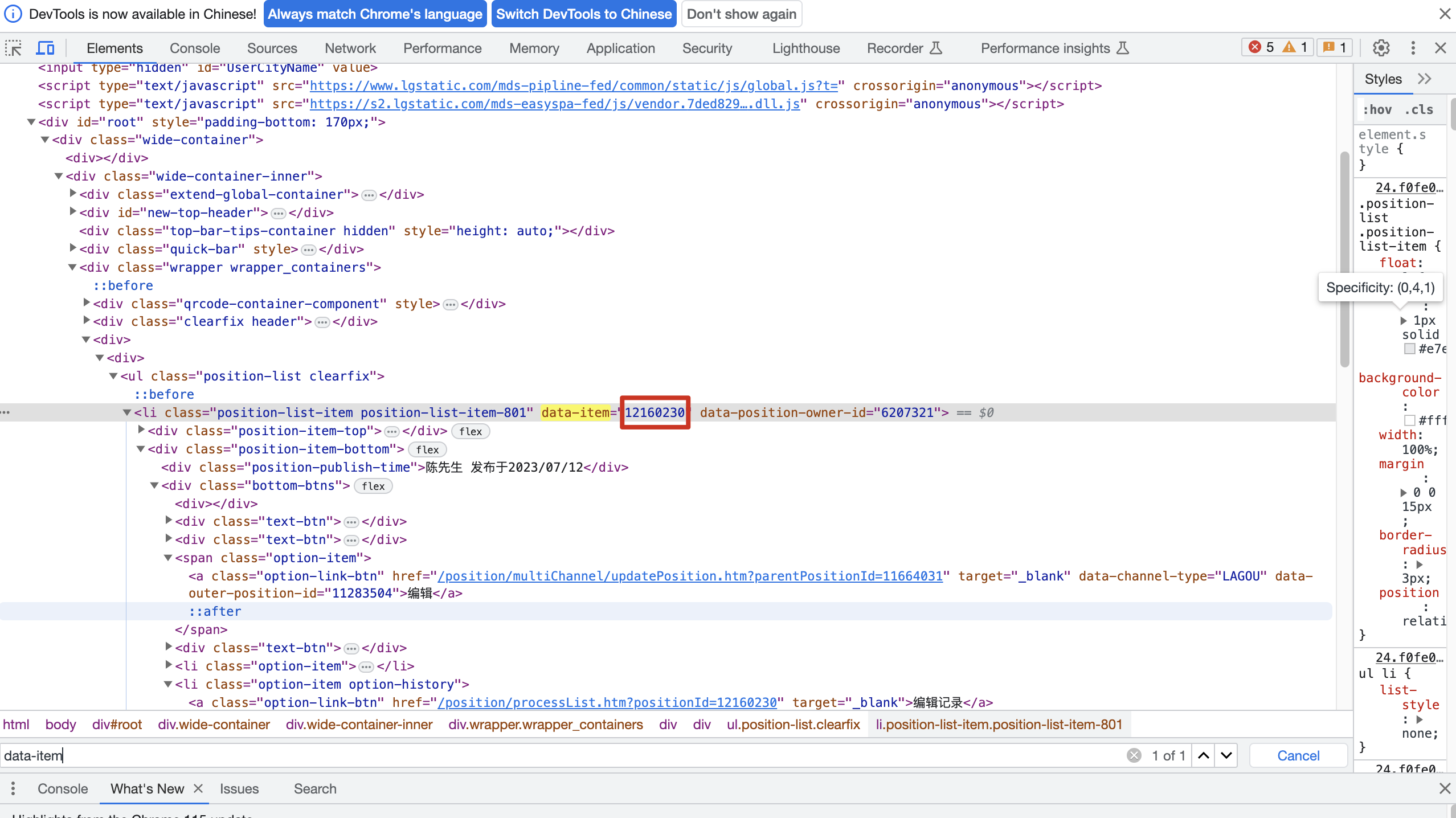
Take pull hook as an example:
Job ID: same as above

Modify the job ID: Right-click the job list, go to the check page, Ctrl+F search for the keyword "Edit"


Refresh job ID: right-click to go to the check page, Ctrl+F search for the keyword "data-item"

Evaluate this document
Helpful
No help